
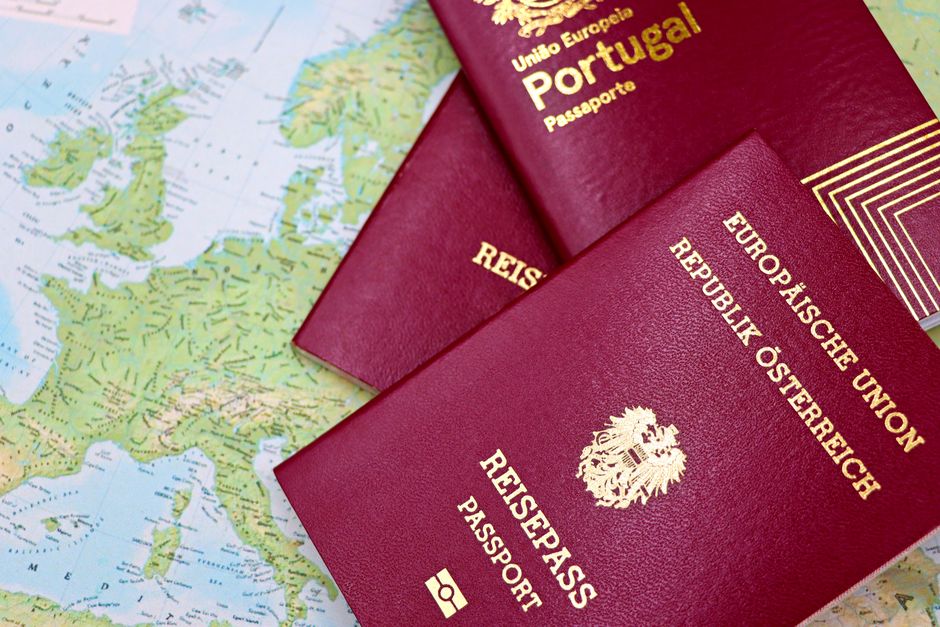
The common misconception is that taking a photo of your passport solves the document problem. It does not. A phone can be stolen, a screen can crack, an account can lock you out, and airport Wi-Fi can disappear at the exact moment you need a boarding pass.
The practical answer is smaller and less clever: carry the originals, keep a short paper set, and store one encrypted digital copy that you can reach without depending on one device. This August travel system takes about 30 minutes to build and removes a surprising amount of stress.
1. Build a three-layer travel document set
Start with the documents that prove identity, permission to enter, ability to travel, and ability to get help. Do not treat every file as equally useful. A ten-page insurance policy may matter later, but the emergency phone number and policy number matter first. The goal is fast access under pressure.
| Layer | What to keep | Where it belongs | Why it matters |
|---|---|---|---|
| Originals | Passport, visa, driving licence, required permits | On your person or in a locked room safe | Authorities and carriers may require the physical document |
| Paper copies | Passport identity page, visa, insurance card, prescriptions, emergency contacts | One copy in your day bag and one separate copy in luggage | Works when batteries, signal, or accounts fail |
| Digital copies | PDF scans, booking numbers, policy details, contacts, receipts | Offline on your phone plus one separate cloud account | Easy to search, replace, and share with a trusted person |
Keep the paper set short
Print the passport identity page, not every passport page. Add the visa or entry approval, travel insurance certificate, medication list, and a page with emergency contacts. Put the pages in a thin waterproof sleeve. Do not write your full card number or banking password on the sheet; that turns a backup into a theft kit.
Separate the copies from the originals
Never store the paper copy beside the passport. If the bag disappears, you want the copy to remain useful. Give a trusted person at home the same short set, along with your dates and route. That person does not need access to every booking email. They need enough information to help an airline, embassy, hospital, or insurer identify you.
2. My verdict: the best backup is boring and offline

My clear recommendation is one paper packet, one offline phone folder, and one cloud copy. That setup beats a complicated web of apps because each layer covers a different failure: paper survives a dead battery, the phone copy is searchable, and the cloud copy survives the loss of both your bag and your handset.
Do not make your travel plan depend on a single cloud login. A free Dropbox Basic account provides 2 GB of storage, which is more than enough for a small document folder, but the account still needs a working password and recovery method. It only gives you more room and another route to the files.
That tool is useful for storing account details, but it should not become the only place you keep your passport scan.
The winning setup for most travelers is therefore the free version of a storage service plus a paper packet, not a stack of paid apps. Pay for Proton Drive or 1Password only when the added storage, encryption, or password features solve a problem you actually have.
3. Make the backup usable when your phone fails
A backup is not useful merely because it exists. You need to open it quickly, understand what each file is, and know how to reach it from another device. Many travelers discover the flaw only at a check-in desk: the file is trapped in an email account, the PDF requires a live connection, or the scan is so blurry that the passport number cannot be read.
Use clear names and a simple folder
Create one folder named with the trip and month, such as August-2026-Italy. Use plain file names: Passport-Jones, Visa-Jones, Insurance-Policy-48291, and Emergency-Contacts. Keep the total folder small. A 12 MB folder opens faster than a pile of high-resolution photos, and a PDF is easier to search than 25 separate images.
Scan documents in good light with all four corners visible. Make sure names, dates, document numbers, and expiry dates are readable at normal screen size. Open every file after saving it. Then switch the phone to airplane mode and test the folder again. This catches the most common failure: a file that looked available online but was never downloaded for offline use.
Test the recovery path before departure
Use a second device, such as a laptop or a trusted family member’s phone, to sign in to the cloud account. Do not send a password by ordinary email. Instead, share the minimum needed access through the service’s secure sharing feature or keep the emergency contact ready to guide you through account recovery. Confirm that the backup email and phone number still work before leaving home.
Also test the physical plan. Put the paper packet in its intended bag and walk through a simple scenario: your phone is lost on a train, your passport is in a hotel safe, and you need the insurance number. Can you reach the paper copy, the cloud copy, or your emergency contact without guessing? If not, the system needs fewer steps, not more technology.
4. Follow this seven-step August departure checklist

The most reliable document routine happens before the trip becomes busy. Use this sequence seven days before departure, then repeat the final checks the night before you leave. Each step has a clear pass or fail result.
- Check expiry dates. Look at the passport, visa, driving licence, and any entry permit. Some destinations require several months of passport validity after arrival, so confirm the rule for every stop on the route.
- Confirm names. Compare the name on the passport with airline tickets, rail bookings, hotel reservations, and insurance records. A missing middle name is usually fixable before travel and much harder to fix at the airport.
- Download the key files. Save the passport scan, visa, insurance certificate, booking confirmations, and emergency contacts to the phone. Turn on airplane mode and open them one by one.
- Print the short packet. Use readable black-and-white copies. Add policy numbers and phone numbers, not a full archive of every email.
- Tell one trusted person. Send that person your travel dates, first hotel, route, and the location of the cloud folder. Keep the message short enough to find quickly.
- Protect the accounts. Update recovery details, use a unique password, and avoid saving passwords in a public browser. A password manager can help, but write down its emergency recovery instructions separately.
- Check the physical split. Keep originals, paper copies, payment cards, and your phone in separate places during transit. Redundancy only works when one incident cannot remove every copy.
For August trips, heat and crowds add small risks. Do not leave paper documents in a hot parked car, and keep the phone folder available before entering a crowded station or airport. The right moment to find a file is at home, not in a security queue.
6. Questions travelers ask before they leave

Is a phone photo of my passport enough?
No. It is a useful third layer, but it cannot replace the original passport and may be unreadable, locked behind a dead phone, or inaccessible after theft. Keep a clear scan offline, print the identity page, and store one separate cloud copy. The paper version is especially useful when you need to explain your identity before you can recover your accounts.
Should I email documents to myself?
Use email only as a secondary route. Email accounts are valuable targets, may require a live connection, and can expose sensitive files if someone gains access. A named cloud folder with strong account protection is cleaner. Keep the most sensitive information, such as recovery codes, out of ordinary inboxes.
What should I do if every copy is lost?
Contact your travel insurer, local police if theft occurred, your country’s embassy or consulate, and the transport provider. Your trusted contact can send booking details and confirm your identity while you work through replacement steps. Keep emergency phone numbers on paper so the first call does not depend on the missing phone.
That brings the opening scenario to a sensible end. A passport photo alone is fragile, but a short paper packet, an offline folder, and one tested cloud copy keep the trip moving when the phone, connection, or luggage does not.